
Co-Founder & CTO, SnapMenuAI, Inc


Customers today expect restaurant ordering to be quick.
They search for a restaurant on their phone, open the website, check the menu, decide what they want, and expect to place an order without jumping between different apps or searching for another ordering link.
If customers cannot quickly find the menu or understand how to order, the experience becomes harder than it needs to be.
For restaurant owners, this means your website should do more than display your address, hours, phone number, and food photos.
It should help customers move naturally from:
Search → Menu → Order → Payment → Confirmation
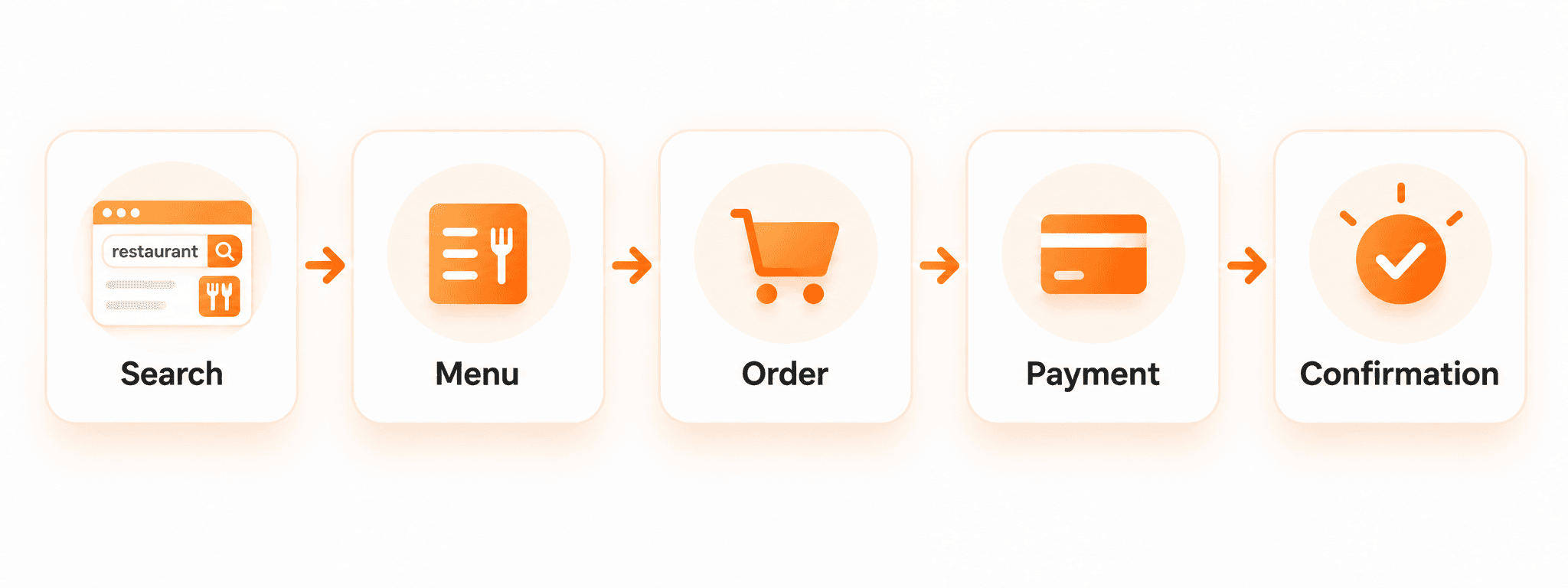
That is the purpose of an online ordering system for restaurants.
It gives customers a direct way to find your restaurant, understand your menu, choose their food, customize the order, and complete the next steps from the device they are already using.
And today, building this type of restaurant website does not always require a long website-development project.
With the right restaurant information and menu ready, a basic ordering website can be created quickly, while more complex integrations or configurations may require additional setup.
Why restaurant customers expect faster ordering today
Think about how people look for restaurants now.
A customer may be sitting at home and search:
“Pizza near me”
or:
“Best Indian restaurant nearby”
or:
“Restaurants open now”
Within a few seconds, they may look at several options.
Once they choose your restaurant, they usually want the next step to be obvious.
They want to see:
What food you offer
How much it costs
Whether they can order online
Whether pickup is available
How to customize an item
How to pay
How to contact the restaurant if they have a question
Restaurant owners do not need to think about this as complicated technology.
Think about it as making the path to an order easier.
The fewer unnecessary steps between finding your restaurant and placing an order, the easier the experience is for the customer.
What is an online ordering system for restaurants?
An online ordering system allows customers to place an order directly through a restaurant's digital experience.
A customer can usually:
Open the restaurant website
Browse the menu
Choose items
Select available modifiers
Review the order
Complete supported payment steps
Receive confirmation
Instead of using your restaurant website only as an information page, online ordering gives customers something useful to do once they arrive.
For restaurant owners, the idea is simple:
Your website becomes another place where customers can order from you.
For a wider look at how restaurants are adopting new technology, read how restaurants are using AI in 2026.
What should your restaurant website actually do?
A restaurant website should make common customer questions easy to answer.
A customer should not need to hunt through several pages to understand your restaurant.
What the customer wants | What your website should provide |
See what you serve | Clear digital menu |
Check prices | Current menu pricing |
Choose an item | Simple item selection |
Customize food | Available modifiers and options |
Place an order | Direct online ordering |
Order from a phone | Mobile-friendly website |
Scan and order | QR ordering |
Reserve a table | Reservation option where supported |
Pay online | Supported payment flow |
Know what happens next | Clear order confirmation |
You do not need to understand how every part works technically.
What matters is whether a customer can use it easily.
How customers move from search to order
One useful way to judge your restaurant website is to look at the complete customer journey.
A good ordering experience should connect each step naturally.
Find your restaurant
The customer may discover you through Google, maps, social media, a recommendation, or by directly searching for your restaurant.
At this stage, they are deciding whether your restaurant looks relevant to what they want.
Open your website
Once they reach the website, they should quickly understand:
What kind of restaurant you are
Where you are located
When you are open
What is on your menu
How they can order
Do not make customers search for basic information.
Browse the menu
The menu should be easy to read.
Categories should be clear, food items should be organized properly, and customers should be able to understand the available options.
If a customer wants pizza, biryani, burgers, appetizers, drinks, or desserts, they should be able to find that section quickly.
Customize the order
Restaurant orders are rarely just one item with no changes.
Customers may want:
A different size
Extra toppings
No onions
A side dish
An add-on
A different preparation option
Your online ordering system should make available choices clear before the customer submits the order.
Review and complete the order
Before finishing, the customer should be able to check:
Items
Quantities
Modifiers
Order total
Payment details where supported
After submission, they should receive a clear confirmation.
The complete journey should feel simple:
Find → Browse → Choose → Customize → Pay → Confirm

Why direct online ordering matters for restaurants
Restaurant customers have different ordering preferences.
Some want to call.
Some want to order in person.
Others prefer opening a website and completing everything themselves.
A direct online ordering experience gives these customers another way to interact with your restaurant.
It can help you:
Give customers a simple digital ordering option
Make your menu available online
Reduce dependence on phone-only ordering
Support mobile customers
Offer QR-based ordering
Keep customers inside your restaurant's own digital experience
Connect restaurant discovery more closely with ordering
Online ordering is not about removing every other channel.
It is about giving customers more convenient ways to order.
Your restaurant website also needs to be found
Having a good restaurant website is useful.
But customers first need to find it.
That is where SEO, AEO, and GEO become important.
These terms may sound technical, but restaurant owners do not need to understand the technical details.
The practical goal is simple:
Help Google, search engines, and AI platforms clearly understand your restaurant so more relevant customers have an opportunity to discover it.
No company can guarantee that a restaurant will always rank at the top of Google or appear in every AI answer. Search results depend on many factors.
What you can do is build a stronger foundation that makes your restaurant information clear and easier for these systems to understand.
SEO helps people find you through search
SEO means search engine optimization.
In simple terms, it helps search engines understand what your website is about.
For a restaurant, that may include clear information about:
Restaurant name
Location
Cuisine
Menu
Menu items
Online ordering
Opening hours
Reservations
Restaurant services
For example, if someone searches for a restaurant or cuisine in your area, well-organized website content can improve your opportunity to appear in relevant search results.
The goal is not simply to have a website.
The goal is to have a website that clearly tells search engines who you are, what you serve, where you are, and what customers can do on your site.
AEO helps answer customer questions
AEO means answer engine optimization.
Customers often search using questions.
For example:
“Can I order online?”
“Is this restaurant open today?”
“Does this restaurant take reservations?”
“What vegetarian options are available?”
A website with clear information and direct answers makes it easier for search systems to understand those details.
Restaurant owners can think of AEO this way:
Make common customer questions easy for both people and search systems to answer.
GEO helps AI platforms understand your restaurant
People are increasingly using AI-powered search experiences to discover businesses, compare options, and ask questions.
GEO means generative engine optimization.
Its purpose is to make your restaurant information clear and structured enough for AI-powered systems to understand.
That could include information about:
Your restaurant
Cuisine
Menu
Location
Ordering options
Reservations
Services
For restaurant owners, SEO, AEO, and GEO all work toward a similar goal:
Make your restaurant easier to understand and easier to discover online.
How quickly can you build a restaurant ordering website?
Restaurant owners often think creating a website means finding a developer, discussing designs, waiting weeks, and then figuring out how to add menus and ordering.
Modern restaurant website tools can simplify that process.
If your basic information is ready, the initial website can be created much faster.
Useful information includes:
Restaurant name
Address
Phone number
Opening hours
Menu categories
Menu items
Prices
Modifiers
Restaurant photos
For a straightforward setup, a basic website experience can be created in just a few minutes.
However, the complete launch may take longer if your restaurant requires:
A large menu
Complex modifiers
Multiple locations
Payment configuration
POS integration
Reservation setup
Custom requirements
The important point is not simply:
“How fast can I create the website?”
A better question is:
“How fast can I create a website that my customers can actually use?”
Online ordering or phone ordering: Which should you choose?
You do not necessarily have to choose.
Different customers want different experiences.
Phone ordering | Online ordering |
Customer prefers speaking | Customer prefers self-service |
Easy to ask menu questions | Easy to browse the menu visually |
Staff or Voice AI handles the conversation | Customer moves through the order independently |
Useful for detailed conversations | Useful for quick digital ordering |
Works through a call | Works through the website |
A customer who has several questions may prefer calling.
A customer who already knows what they want may prefer opening the website and ordering directly.
Supporting both gives customers more choice.
Restaurants interested in handling phone orders more efficiently can also explore AI phone ordering for restaurants.
What should you check before choosing an online ordering system?
Restaurant owners do not need a long technical checklist.
Focus on what your customers and staff will actually use.
Ask these questions:
Is it easy to use on a phone?
Most customers should be able to open the website, browse the menu, choose items, and place an order without struggling with the screen.
Can it handle my real menu?
Check whether the system can support your:
Categories
Items
Prices
Sizes
Toppings
Add-ons
Modifiers
If your menu is difficult to digitize or manage, MenuBuilderAI can help structure restaurant menu information.
Can customers order directly?
A good-looking website is not enough if customers still need to call or leave the website to place an order.
Make sure the ordering path is clear.
Does it work with the restaurant systems I need?
If you already use a POS or payment system, understand what integrations or configuration may be required.
Support can vary depending on the restaurant's existing technology.
Can I keep the information updated?
Menus change.
Hours change.
Prices change.
Restaurants add and remove items.
Make sure you can keep important customer information current.
Where CommerceAI fits
Once you know what customers need from a restaurant website, the next question is how to bring everything together.
SnapMenuAI CommerceAI helps restaurants create a digital experience built around their own restaurant website.
CommerceAI brings together key restaurant needs such as:
Restaurant need | CommerceAI capability |
Restaurant website | Build a restaurant-focused website |
Online ordering | Give customers a direct ordering path |
Mobile experience | Responsive ordering experience |
QR ordering | Let customers access menus and ordering through QR |
Digital menu | Menu and modifier support |
Reservations | Supported reservation workflows |
Payments | Supported payment workflows |
Online visibility | SEO, AEO, and GEO-ready website foundation |
For a basic setup where restaurant and menu information is ready, CommerceAI is designed to help restaurants get started quickly.
More complex integrations and configurations may require additional setup.
The goal is not simply to create another restaurant website.
The goal is to create a website that helps customers find your restaurant, understand your menu, and move toward an order.
Give customers the ordering choice they prefer
A website is only one customer channel.
Some customers prefer SMS.
Some prefer calling.
Some want to order online.
SnapMenuAI supports these different restaurant customer journeys.
SMS AI supports conversational ordering through SMS, while VoiceAI supports restaurant phone conversations and phone ordering.
You can also read more about SMS ordering for restaurants.
Restaurant owners do not need to push every customer into the same channel.
Give customers simple ways to order and let them choose what works best for them.
Build a restaurant website customers can actually use
Customers are already searching online for restaurants.
They are already looking at menus.
They are already making decisions from their phones.
Your restaurant website should make the next step easier.
CommerceAI helps bring together your restaurant website, menu, online ordering, QR ordering, reservations, supported payments, and search-ready content in one digital experience.
The goal is simple:
Help customers find you. Help them understand what you offer. Make it easy to order.
Build your online ordering experience with CommerceAI
Frequently asked questions
These are some of the most common questions restaurant owners may have about building an online ordering website.
What is an online ordering system for restaurants?
An online ordering system gives customers a way to browse a restaurant's digital menu, select items, customize available options, place an order, and complete supported payment steps online.
Can I build a restaurant website without technical knowledge?
Yes. Modern restaurant website platforms can simplify website creation so restaurant owners do not need to build everything from code. The amount of setup required depends on your menu, payments, integrations, and restaurant requirements.
How quickly can I create a restaurant ordering website?
A straightforward website can be created quickly when restaurant and menu information is ready. More complex menus, payment setups, multiple locations, POS integrations, or custom requirements may take additional time.
Can my restaurant website help me appear on Google?
A properly structured website can improve how clearly Google understands your restaurant and may improve your opportunity to appear for relevant searches. No platform can guarantee a specific Google position because rankings depend on many factors.
What are SEO, AEO, and GEO for restaurants?
SEO helps search engines understand your restaurant website. AEO helps your website answer common customer questions clearly. GEO helps AI-powered systems understand information about your restaurant, menu, location, and services.
Can customers order from my restaurant website on their phone?
Yes, when the restaurant website provides a mobile-responsive ordering experience. Customers should be able to browse the menu, select items, customize their order, and complete supported checkout steps from a smartphone.
Does CommerceAI support restaurant online ordering?
CommerceAI supports restaurant websites, digital menus, online ordering, QR ordering, modifiers, reservations, supported payment workflows, and a search-ready website foundation.
Do I still need phone ordering if I have online ordering?
That depends on your customers. Some people prefer ordering online, while others prefer calling and speaking with the restaurant. Supporting both can give customers more choice.