
Co-Founder & CTO, SnapMenuAI, Inc
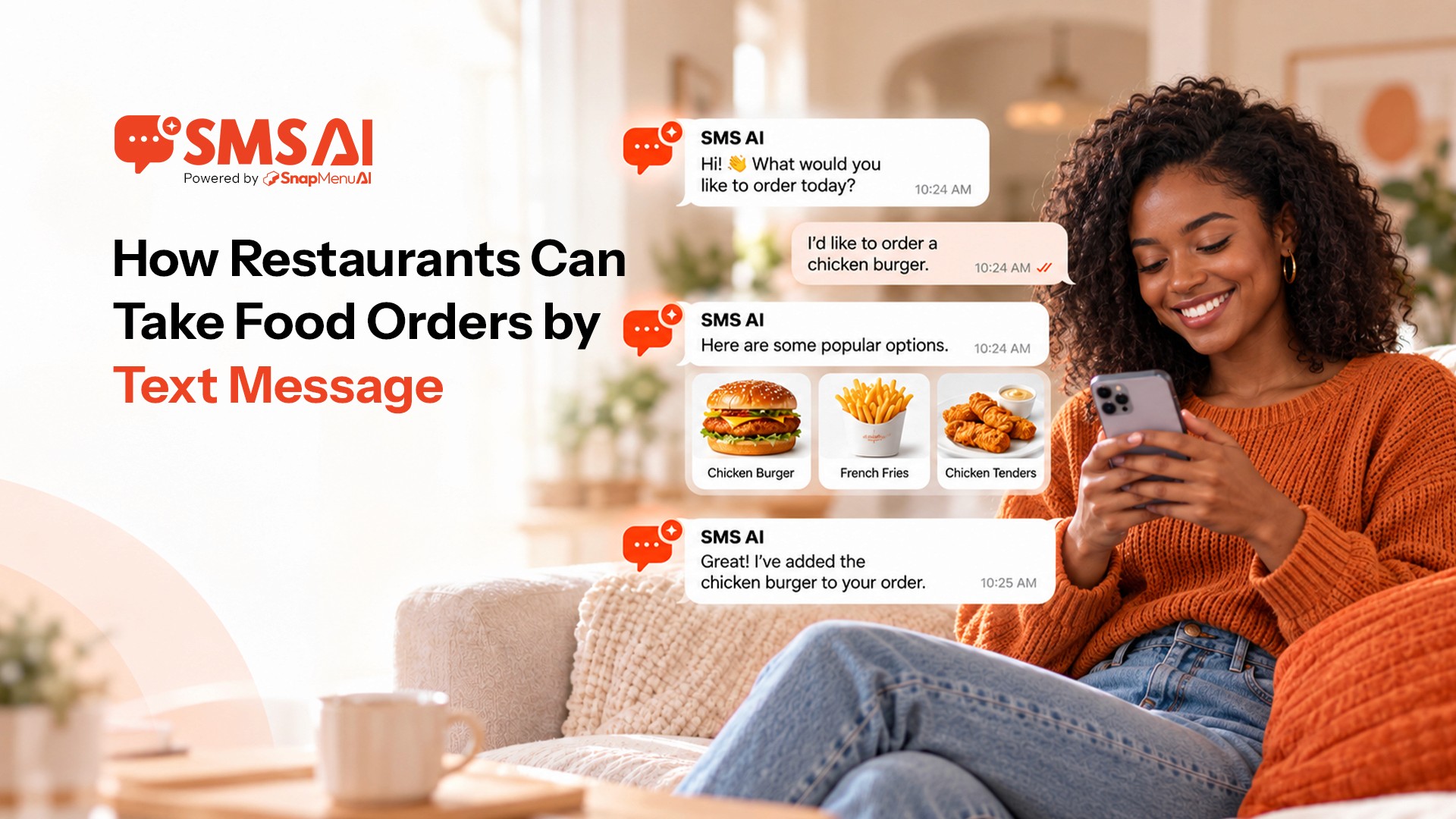


Customers already use text messages every day to ask questions, confirm plans, and communicate quickly. Restaurants can use that same familiar channel to take food orders.
Text ordering for restaurants allows customers to place food orders through SMS by texting the restaurant, choosing menu items, adding modifiers, asking questions, receiving a payment link, and getting an order confirmation in the same conversation.
The customer does not need to download a restaurant app or call and wait for someone to answer.
For restaurants, the important part is what happens behind the conversation. The SMS ordering system needs to understand the menu, collect the right order details, handle required choices, support payment, and send the completed order into the restaurant's workflow.
Snapmenu SMS AI is designed around this restaurant text-ordering experience.
What is text ordering for restaurants?
Text ordering for restaurants is a way for customers to place food orders by sending SMS messages to a restaurant instead of calling or building the order through an app.
A customer can start by simply texting what they want.
The system can then continue the conversation based on the restaurant's menu and ordering rules.
Depending on the setup, customers can use SMS to:
Place a new food order
Ask about menu items
Choose sizes and options
Add modifiers and extras
Ask for recommendations
Provide pickup or delivery information
Request a reservation
Receive a payment link
Receive order confirmation
Ask for human assistance when needed
Text ordering and SMS ordering generally describe the same basic customer experience: ordering food through text messages.
How can restaurants take food orders by text message?
Restaurants can take food orders by text by connecting an SMS-enabled business number to an ordering system that understands the restaurant's menu, collects order details, handles modifiers, supports payment, and sends the completed order to the restaurant.
A useful restaurant text-ordering system needs more than the ability to send and receive messages.
It also needs restaurant-specific information.
That includes menu items, prices, sizes, modifiers, add-ons, availability, fulfillment options, and other ordering rules.
When those details are configured correctly, the text conversation can guide the customer toward a complete order.
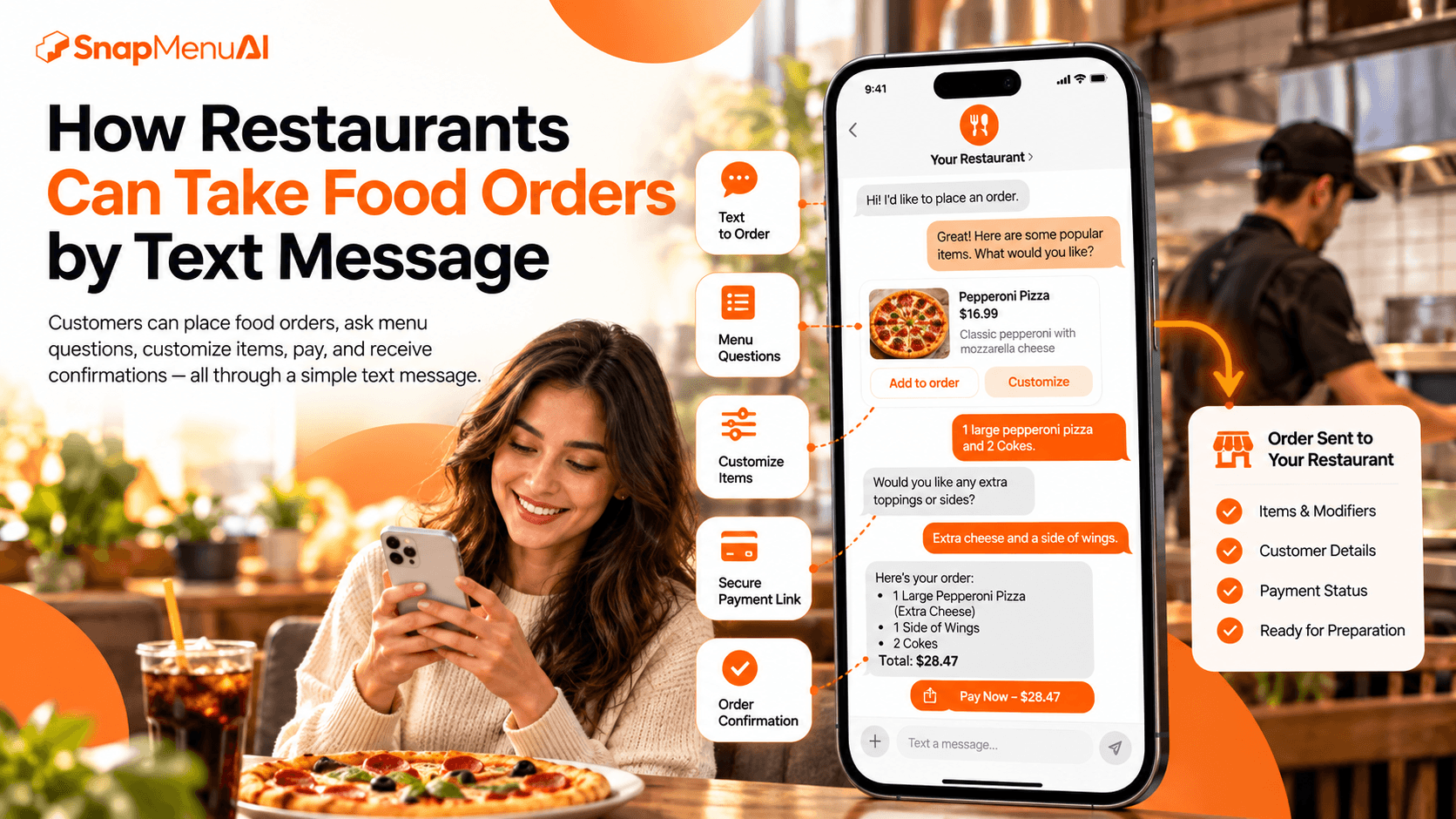
What happens when a customer starts an SMS order?
The conversation should begin naturally.
A customer might text:
I'd like to place an order.
Or they may start with the food immediately:
One large pepperoni pizza and two Cokes.
The system should recognize that the customer wants to order and respond based on the restaurant's menu.
It should not require customers to memorize commands or type exact keywords just to get started.
That is one of the biggest differences between conversational SMS ordering and older keyword-based texting systems.
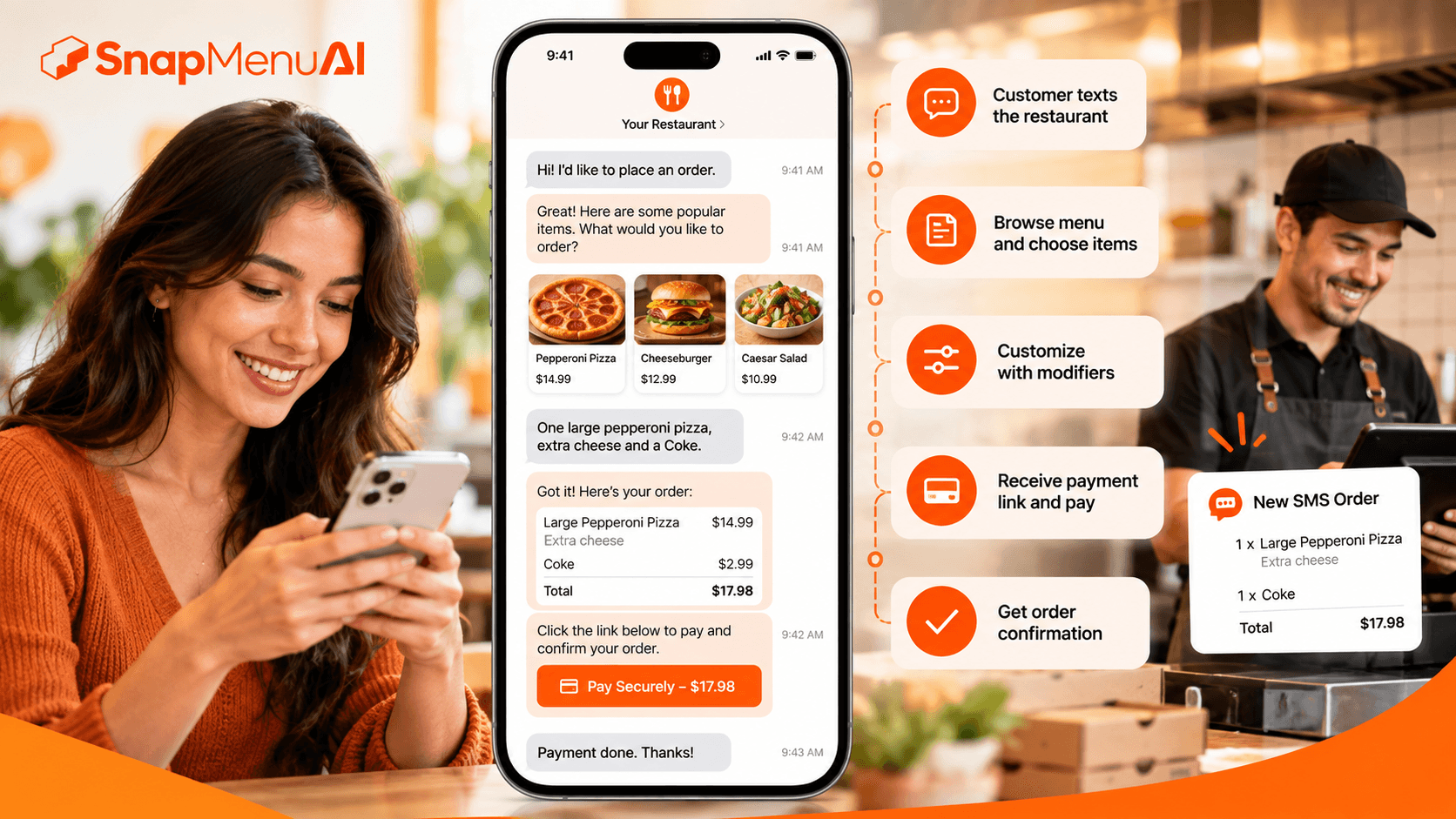
How does the system know what food the restaurant sells?
A restaurant SMS ordering system needs structured menu information so it can understand what customers can actually order.
That menu information may include:
Menu information | Why it is needed |
|---|---|
Categories | Organizes the restaurant's menu |
Menu items | Identifies what customers can order |
Prices | Supports accurate order totals |
Sizes | Handles available item variations |
Modifiers | Collects required customer choices |
Add-ons | Supports optional extras |
Availability | Helps avoid unsupported selections |
Descriptions | Helps answer menu questions |
Preparation details | Supports relevant order information |
A generic chatbot without restaurant menu knowledge may understand the customer's words but still struggle to build a valid food order.
Restaurant-specific menu data is what connects the conversation to the actual order.
Can customers customize food orders by text?
Yes. Text ordering can support restaurant modifiers and customizations when those choices are configured in the menu.
A customer might need to choose:
Item size
Crust type
Toppings
Side dishes
Sauces
Cooking preferences
Add-ons
Other restaurant-specific options
The system should understand which choices are required and which are optional.
If an order is missing an important choice, the conversation can ask the customer for that information before the order is completed.
For example, if a menu item requires a size, the system should collect the size rather than making an assumption.
This is especially important for restaurants with detailed menus.
Can customers ask menu questions through SMS?
Yes. Restaurant text ordering can allow customers to ask menu questions in the same conversation they use to place an order.
Questions may include:
What sizes are available?
How much is this item?
What sides come with it?
Do you have vegetarian options?
Is this item available today?
Can I add extra cheese?
What drinks do you have?
The answers should come from configured restaurant information.
If the system does not have reliable information for a sensitive or unusual question, it should provide a path to restaurant staff rather than guess.

Can SMS ordering recommend add-ons?
Restaurant SMS ordering can recommend relevant menu additions during the conversation.
A customer ordering a main item might be offered an available drink, side, dessert, topping, or other appropriate addition.
The recommendation should make sense for the order.
The goal is to help the customer discover useful options rather than fill the conversation with unrelated promotions.
Consistent recommendations can also help restaurants make the same ordering opportunities available even when staff are busy.
How do customers review the order?
Before payment or final submission, customers should be able to understand what is included in the order.
A clear order summary can include:
Menu items
Quantities
Sizes
Modifiers
Add-ons
Relevant fulfillment information
Order total
This gives the customer a chance to identify a missing item or incorrect choice before the restaurant begins preparing the order.
Order review is particularly important in conversational ordering because customers are building the order through messages rather than looking at a traditional shopping cart throughout the entire experience.
How do customers pay for food ordered by text?
A restaurant can support SMS ordering without asking customers to send card details directly through a text message.
Depending on configuration, the restaurant can send the customer a secure payment link.
The customer opens the supported payment page, completes payment, and then returns to the ordering experience.
Payment handling depends on the restaurant's payment setup and supported integrations.
Restaurants should understand how payment status is confirmed before launching text ordering.
How does the restaurant receive the SMS order?
Taking an order by text is only useful if the restaurant can receive and fulfill it reliably.
Depending on the restaurant's setup and supported integrations, the completed order may be sent into a connected POS or another restaurant ordering workflow.
The order information may include:
Customer information
Ordered items
Quantities
Modifiers
Add-ons
Special instructions
Payment status
Order total
Preparation information
Restaurants should verify the full order handoff during setup rather than assuming every SMS platform connects with every restaurant system.
Can customers order pickup or delivery through text?
Yes, when pickup or delivery is supported by the restaurant's configuration.
The conversation can collect the information required for the selected fulfillment method.
For pickup, that may include the customer's name, phone number, location, or available pickup time.
For delivery, additional information may be needed depending on the restaurant's supported delivery workflow.
The system should only present fulfillment options the restaurant actually offers.
Do customers need an app to order food by text?
No. SMS ordering can work through the standard text-messaging experience already available on the customer's phone.
That is one of the clearest differences between text ordering and app-based restaurant ordering.
Customers do not need to install a dedicated restaurant application before starting the conversation.
They can contact the restaurant through SMS and continue the ordering conversation there.
A secure payment link may open a payment page when payment is required.
Is SMS ordering the same as SMS marketing?
No.
They use the same communication channel, but they serve different purposes.
SMS ordering | SMS marketing |
|---|---|
Helps a customer place an order | Sends promotional messages |
Uses restaurant menu information | Uses campaign content |
Collects items and modifiers | Promotes offers or events |
Supports ordering questions | Encourages customer engagement |
May send payment links | May send promotional links |
Ends with an order or customer request | Usually supports marketing goals |
This distinction is important because someone searching for SMS ordering for restaurants is usually looking for an ordering capability, not simply a promotional texting tool.
What is a text-to-order system?
A text-to-order system is technology that turns a customer's text conversation into a structured restaurant order.
Instead of treating each SMS as an isolated message, the system maintains the context of the conversation.
It needs to understand what the customer has already selected, which options are still missing, and what information is needed before the order can be completed.
For restaurants, this requires a combination of SMS messaging and restaurant-specific ordering logic.
How is text ordering different from phone ordering?
Both channels allow customers to communicate directly with the restaurant, but the customer experience is different.
Phone ordering | Text ordering |
|---|---|
Customer calls the restaurant | Customer texts the restaurant |
Requires a live voice conversation | Conversation happens through messages |
Staff may need to answer | Supported conversations can be automated |
Customer may wait on hold | Customer can continue through SMS |
Order details are spoken | Order details remain visible in the conversation |
Payment may happen by phone or another method | Payment link can be sent where supported |
Restaurants do not necessarily need to choose only one.
Phone, SMS, website, and other ordering channels can serve different customer preferences.
What are the benefits of restaurant text ordering?
Text ordering can help restaurants make ordering available through a channel customers already understand.
For customers, that can mean:
No dedicated app download
No phone call required
Ability to read the conversation
Ability to ask menu questions
Easy access to modifiers and recommendations
Payment support where configured
Written order confirmation
For restaurants, it can mean another way to capture customer orders without requiring employees to personally handle every conversation.
The actual value depends on order volume, menu complexity, integrations, customer behavior, and how the restaurant implements the system.
Is your restaurant ready to take orders by text?
Before launching SMS ordering, restaurants should check whether the core ordering information and workflows are ready.
Area | What should be ready |
|---|---|
Business texting | An appropriate restaurant messaging setup |
Menu | Current items, prices, and descriptions |
Modifiers | Required and optional choices |
Availability | Rules for unavailable items |
Pickup and delivery | Supported fulfillment options |
Payment | Supported secure payment workflow |
Order routing | Clear restaurant or POS destination |
Customer confirmation | Order confirmation process |
Staff support | Escalation path when human help is needed |
Testing | Real restaurant ordering scenarios tested before launch |
A strong SMS ordering experience depends on the quality of these fundamentals.
AI cannot compensate for an inaccurate menu or unclear restaurant workflow.
What should restaurants test before launching SMS ordering?
Testing should go beyond sending one simple order.
Restaurants should try realistic customer situations involving:
Several menu items
Required modifiers
Optional add-ons
Missing information
Menu questions
Item availability
Pickup or delivery requests
Payment
Order confirmation
Requests for restaurant staff
The goal is to understand how the system behaves when customers do not follow a perfect script.
Customers will use their own words.
A restaurant ordering system should be prepared for that.
What should restaurants know about business texting?
Restaurants should use an appropriate business messaging setup rather than treating SMS ordering like casual person-to-person texting.
Messaging requirements can depend on the provider, type of message, customer consent, and how the restaurant communicates with customers.
Restaurants should confirm the correct setup, consent requirements, opt-out handling, and messaging configuration with their provider before launching SMS ordering in the United States.
SMS ordering technology does not remove those responsibilities.
Where Snapmenu SMS AI fits
Snapmenu SMS AI is built for restaurant text conversations.
Depending on configuration and supported integrations, SMS AI can help restaurants handle:
Food orders
Menu questions
Item customizations
Modifiers and add-ons
Recommendations
Pickup or delivery information
Reservation requests
Payment links
Order confirmations
Multilingual conversations
Human escalation
The experience is designed around a simple idea:
Customers can text the restaurant using SMS and continue the conversation from their phone.
For a broader introduction, read SMS ordering for restaurants.
Restaurants comparing different approaches can also review best SMS ordering systems for restaurants.
For the Snapmenu product experience specifically, see Snapmenu SMS AI for restaurants.
Frequently asked questions
Can restaurants take orders through SMS?
Yes. Restaurants can take food orders through SMS when they use a text-ordering system that can understand menu items, collect order details, support required customizations, and send the final order into the restaurant's workflow.
What is text ordering for restaurants?
Text ordering for restaurants allows customers to place food orders through SMS. Customers can text what they want, answer follow-up questions, customize items, ask menu questions, receive payment information, and get an order confirmation.
Can customers customize an SMS food order?
Yes, when the restaurant's menu and modifier options are configured correctly. Text ordering can support choices such as sizes, toppings, sides, sauces, and add-ons.
How do customers pay for SMS orders?
Restaurants can use supported payment workflows such as sending a secure payment link by SMS. Customers should not be asked to send sensitive payment information as ordinary text messages.
Can SMS ordering connect to a restaurant POS?
It can when the provider supports the restaurant's POS or ordering integration. Restaurants should verify compatibility before implementation.
Is text ordering the same as online ordering?
Both allow customers to order digitally, but the interface is different. Text ordering happens through an SMS conversation, while online ordering generally happens through a restaurant website or web ordering interface.
Can customers ask questions while ordering by text?
Yes. A restaurant-focused SMS ordering system can respond to supported menu and restaurant questions using configured information.
Does SMS ordering require customers to download an app?
No. Customers can use the standard messaging application on their phone. A payment link or another supported step may open a web page when needed.
Let customers order the way they already communicate
Restaurant customers do not always want another app, another account, or another phone call.
Text ordering gives restaurants another way to meet customers through a familiar channel.
The technology behind it still needs to understand the restaurant's menu, customizations, payments, fulfillment choices, and operational workflow.
When those pieces work together, a customer's message can become a usable restaurant order without making the experience complicated.
Explore Snapmenu SMS AI to see how restaurants can support food ordering, menu questions, customizations, payment links, confirmations, and other customer conversations through SMS.